What 'Smart Home' Actually Means
A smart home is simply a home where some devices - lights, plugs, thermostats, locks, cameras - can be monitored or controlled remotely, automated on a schedule, or triggered by other events. The 'smart' part comes from internet connectivity and software, not from any particular level of complexity.
You don't need a fully wired, custom-installed system. A single smart plug that lets you turn off a lamp from your phone qualifies. The term covers a wide spectrum, from one connected bulb to whole-home automation - and first-time buyers almost always start closer to the simpler end.
Ecosystem
A family of smart home products and software from one company or platform that are designed to work together. Devices within the same ecosystem typically integrate more reliably than those from different manufacturers.
Smart hub
A central device that connects and manages multiple smart home products, especially those using wireless protocols that don't connect directly to Wi-Fi.
Protocol
The wireless communication standard a device uses to talk to your network or other devices - examples include Wi-Fi, Bluetooth, Zigbee, and Z-Wave.
Matter
A cross-industry smart home standard that allows devices from different manufacturers to communicate and work together more easily without requiring a specific hub or app.
Firmware
Built-in software installed on a device that controls its core functions. Manufacturers release firmware updates to fix bugs, add features, or address security vulnerabilities.
For a broader look at making confident everyday purchases, see our consumer purchasing guide.
The Core Device Categories
Smart home hardware generally falls into a handful of practical categories:
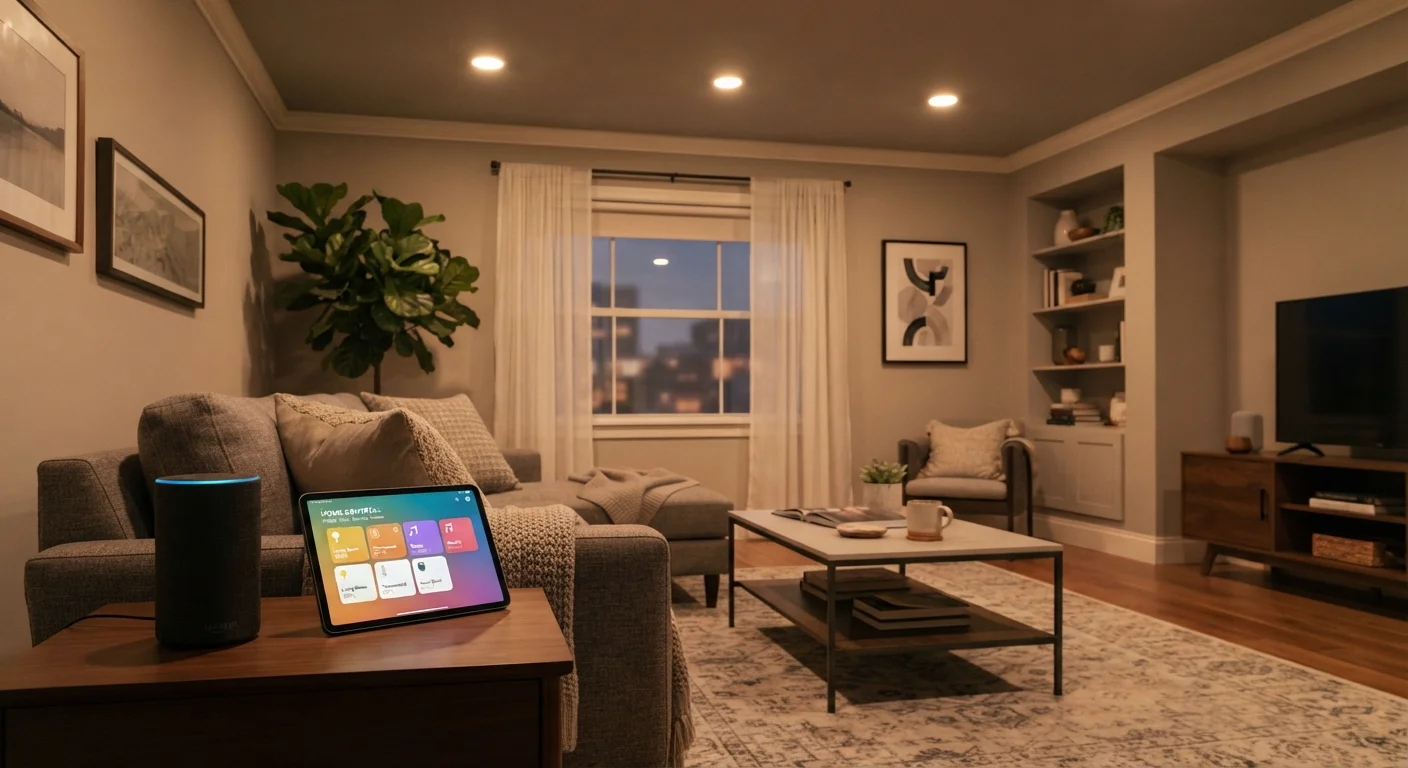
- Smart speakers and displays: Voice-controlled devices with built-in assistants that can answer questions, play media, and control other smart devices by voice. A closer look at smart speakers covers both the appeal and the real limitations worth knowing before you buy.
- Smart plugs: Plug into any standard outlet and make any lamp or appliance remotely switchable. The lowest-friction entry point - no rewiring, minimal setup.
- Smart bulbs: Replace standard bulbs and connect via Wi-Fi or Bluetooth. Allow remote switching, dimming, and in some cases color control.
- Smart thermostats: Learn your schedule, allow remote temperature control, and can reduce energy use when the home is empty.
- Smart security devices: Include video doorbells, indoor and outdoor cameras, and door or window sensors. These vary significantly in storage options, subscription requirements, and privacy implications.
- Smart hubs: Central devices that connect and coordinate multiple smart products, especially those using protocols other than standard Wi-Fi.
Most first-time buyers find the most practical value in smart plugs, bulbs, and a speaker - inexpensive items with straightforward, everyday utility.
How Smart Devices Connect and Communicate
Understanding connectivity prevents the most common first-timer frustrations.
Ecosystem Lock-In Is a Real Consideration
Many smart home devices are designed to work best - or exclusively - within a particular manufacturer's ecosystem. Before purchasing, check whether a device works with the apps and voice assistants you already use. Switching ecosystems later often means replacing hardware you've already paid for. The newer Matter standard is gradually improving cross-brand compatibility, but not all devices support it yet.
Wi-Fi is the most familiar option. Many smart plugs and bulbs connect directly to your home network and are controlled through a dedicated app. The tradeoff is that each device uses a Wi-Fi slot, and congested networks can cause occasional reliability issues.
Bluetooth works well for short-range devices like smart bulbs in a single room, but generally requires your phone to be within range and doesn't support remote control from outside the home without an additional hub.
Zigbee and Z-Wave are dedicated low-power protocols designed specifically for smart home devices. They're reliable and efficient but require a compatible hub to bridge them to your internet connection. Devices using these protocols don't appear on your Wi-Fi network at all.
Matter is a newer cross-industry standard designed to improve compatibility between smart home products from different manufacturers. Support is growing, and it's worth checking whether devices you consider carry Matter certification if cross-brand flexibility is a priority.
If you're also considering streaming media devices, our streaming device overview covers a related category of connected home hardware.
Privacy and Security Basics
Smart devices collect data by design - usage patterns, voice commands, camera footage, and sensor readings can all be stored by manufacturers. This doesn't mean these devices are unsafe to use, but it does mean privacy is an active consideration, not a passive one.
Default Settings Favor the Manufacturer, Not You
Smart devices ship with settings optimized for functionality and data collection, not privacy. Out of the box, many devices share usage data, retain voice recordings, or allow broad app permissions. Review the privacy settings in the companion app as part of your initial setup - not as an afterthought. Leaving defaults in place is the single most common security oversight among new smart home users.
Practical steps that reduce exposure:
- Change default passwords on any device and its associated app account immediately after setup.
- Enable two-factor authentication wherever the app supports it.
- Keep device firmware updated - manufacturers regularly patch security vulnerabilities.
- Review what data the manufacturer retains and whether cloud storage can be disabled or limited.
- Consider placing smart devices on a separate guest Wi-Fi network, isolating them from computers and phones that hold sensitive data.
For a detailed walkthrough of privacy settings across common device types, see our gadget privacy settings guide.
Building Your First Setup: Where to Begin
The most common mistake first-time buyers make is overcommitting - purchasing several devices at once before understanding how they'll fit into daily life or whether they'll work together.
Start with One Device, One Ecosystem
Resist the urge to build out a full smart home immediately. Buying one inexpensive device - such as a smart plug - and living with it for a month teaches you far more than reading reviews. You'll quickly learn what matters to you, what's actually convenient, and whether the ecosystem you chose fits your habits before you invest further.
A practical starting approach:
- Choose one ecosystem first. Whether you already have a voice assistant or plan to get one, check that any devices you consider are explicitly compatible with it. Mixing ecosystems without research leads to fragmented apps and automation headaches.
- Start with a low-stakes device. A smart plug or a two-pack of smart bulbs costs little and teaches you the setup process - app installation, Wi-Fi pairing, account creation - without major financial commitment.
- Evaluate before expanding. After a few weeks of actual use, you'll have a clearer sense of whether the convenience is worth the ongoing attention smart devices require.
If you're evaluating whether a refurbished smart device might be a cost-effective starting point, our refurbished device checklist outlines what to verify before purchasing. Budget-conscious shoppers may also find our guide to first-time budget shopping a useful companion. For readers who feel less confident with technology generally, smart home devices for non-tech-savvy users offers a gentler starting point.
Smart home technology is genuinely useful in everyday life - but the value comes from thoughtful, incremental adoption, not from buying an entire system at once.