Why TV Spec Sheets Feel Like Another Language
Walk into any electronics section or browse a TV listing online and you'll encounter a wall of abbreviations: OLED, QLED, HDR10+, 120Hz, nits, HDMI 2.1. Manufacturers write spec sheets for maximum impact, not maximum clarity. The result is that most shoppers either ignore the specs entirely or end up confused by comparisons that don't quite hold up.
This guide translates every major TV specification into plain English - what it means, why it matters, and how much weight to give it. Think of it as a lookup reference you can return to whenever a listing leaves you scratching your head. For a deeper dive into one specific concept, see what resolution really means across different screens.
| Common resolutions | 1080p (Full HD), 4K UHD, 8K UHD |
| Panel types | LED/LCD, OLED, QLED, Mini-LED/QNED |
| HDR formats | HDR10, Dolby Vision, HDR10+, HLG |
| Typical native refresh rates | 60Hz or 120Hz (native hardware) |
| HDMI 2.1 max bandwidth | 48 Gbps (vs. 18 Gbps for HDMI 2.0) (HDMI Forum specification) |
| HDR peak brightness target | 1,000+ nits for full HDR impact (UHD Alliance Mastered in 4K criteria) |
Display Technology: OLED, QLED, QNED, and LED Explained
The panel type is the single most consequential spec on a TV listing, because it determines how light and color are fundamentally produced.
- LED/LCD: The dominant technology for decades. A backlight shines through a liquid-crystal layer to produce the image. Affordable and bright, but backlight bleed can reduce contrast in dark scenes.
- OLED (Organic Light-Emitting Diode): Each pixel produces its own light and can switch completely off. This delivers true black levels and exceptional contrast, with wide viewing angles. Susceptible to image retention in rare cases and typically less peak-bright than the brightest LED panels.
- QLED (Quantum Light-Emitting Diode): A marketing term used by some manufacturers for LED TVs enhanced with a quantum dot filter, which improves color volume and brightness. It is still a backlit LCD panel underneath.
- QNED / Mini-LED: A variation on standard LED where thousands of smaller backlighting zones allow finer local dimming control, narrowing the gap with OLED on contrast performance.
OLED
A display technology where each individual pixel generates its own light, allowing pixels to turn completely off for true black levels and very high contrast.
Nits
A unit of brightness (candela per square meter). Higher nit values indicate a brighter maximum output, which matters for HDR content and well-lit rooms.
Refresh Rate (Hz)
How many times per second the TV redraws the image. A higher native refresh rate (e.g., 120Hz) reduces motion blur in fast-moving content.
HDR (High Dynamic Range)
A standard enabling a wider range of brightness and color than standard video. Formats include HDR10, Dolby Vision, and HDR10+, each using different metadata approaches.
Local Dimming
A technique where the TV dims specific zones of its backlight independently, improving contrast by deepening blacks in dark parts of an image.
eARC
Enhanced Audio Return Channel - an HDMI feature that transmits high-quality, lossless audio formats from the TV to an external soundbar or AV receiver.
Quantum Dot
A layer of nano-sized crystals placed in front of an LED backlight to expand color volume and improve color accuracy. Used in QLED and some other panels.
VRR
Variable Refresh Rate - a feature that dynamically syncs the TV's refresh rate to the output of a connected gaming device, reducing screen tearing and stutter.
None of these technologies is universally superior - the right choice depends on your room brightness, viewing distance, and content habits. Brighter rooms often favor high-nit LED or QLED panels; dark home-theater rooms tend to show OLED's strengths most clearly.
Resolution, Refresh Rate, and Motion Specs
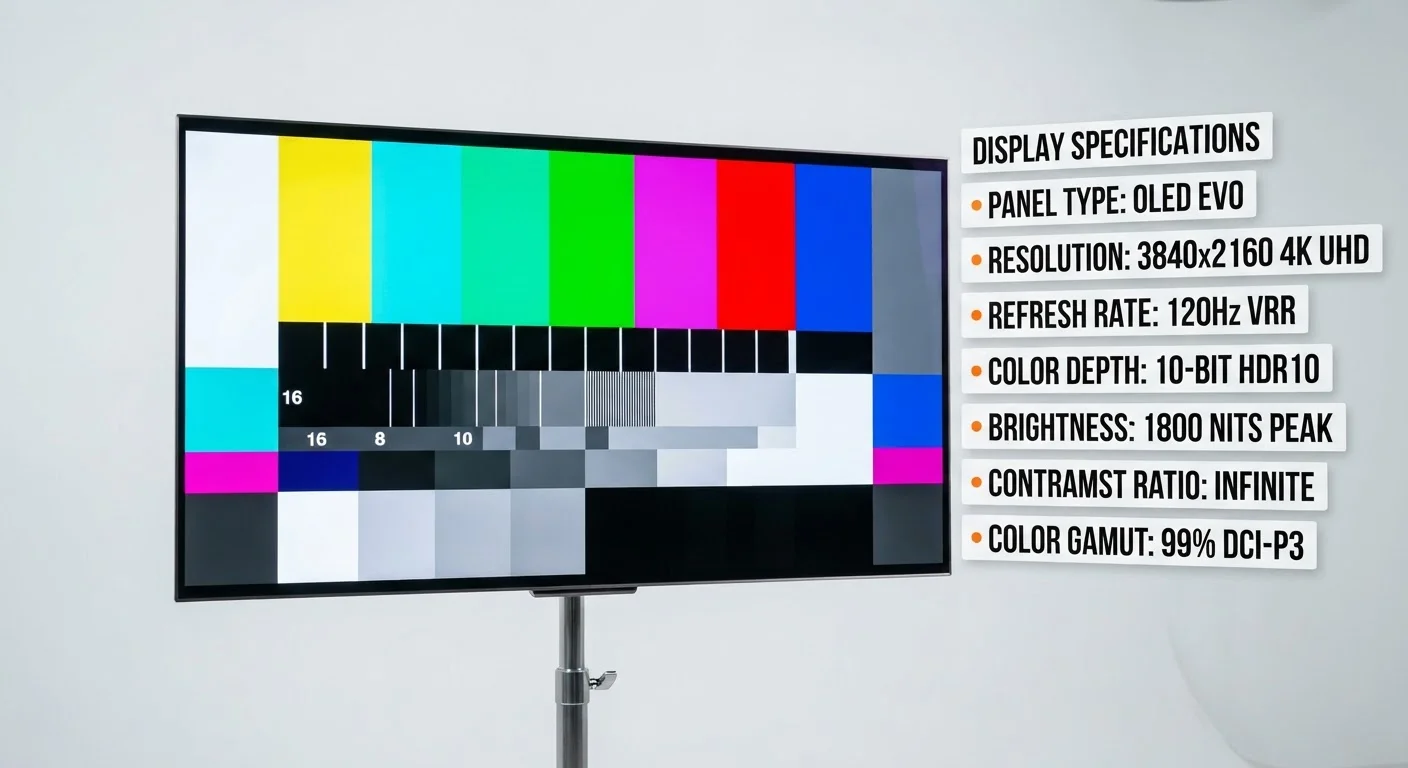
Resolution describes how many pixels make up the image. Common values are 1080p (Full HD: 1920×1080 pixels), 4K UHD (3840×2160), and 8K (7680×4320). At typical living-room viewing distances, the jump from 1080p to 4K is noticeable on screens larger than about 50 inches; the benefit of 8K is largely theoretical for most households given limited 8K source content today.
Refresh rate (measured in Hz) is how many times per second the screen redraws the image. A 60Hz panel refreshes 60 times per second; a 120Hz panel refreshes 120 times. Higher refresh rates reduce motion blur during fast action - sports, gaming, and action sequences benefit most. Be cautious of marketed numbers like "240Hz effective" or "Motion Rate 240," which often describe processed or interpolated frames, not native hardware refresh.
120Hz
Native refresh rate for smooth gaming
Current-generation gaming consoles output up to 4K at 120fps, requiring a native 120Hz panel and HDMI 2.1 to take full advantage.
48 Gbps
HDMI 2.1 maximum bandwidth
Per the HDMI Forum specification, HDMI 2.1 supports up to 48 Gbps - enabling uncompressed 4K/120Hz and 8K/60Hz video signals.
1,000+ nits
Peak brightness for HDR impact
The UHD Alliance's Mastered in 4K certification requires at least 1,000 nits of peak brightness for a panel to qualify.
VRR (Variable Refresh Rate) and ALLM (Auto Low Latency Mode) are gaming-relevant features that sync the TV's refresh rate to a console or PC's output and automatically reduce input lag. These matter primarily for gamers; they add minimal value for general streaming.
Input lag is the delay between a signal arriving and the TV displaying it. Measured in milliseconds, lower is better for gaming. Most modern TVs include a dedicated Game Mode that reduces processing to cut input lag significantly.
HDR Formats and Brightness (Nits)
HDR stands for High Dynamic Range. It expands the range of brightness and color the TV can display compared with standard SDR (Standard Dynamic Range) content. There are several HDR formats, and not all are equivalent.
- HDR10: The baseline open standard. Supported by virtually every HDR TV and most streaming services. Uses static metadata - one brightness setting applied to the entire film.
- Dolby Vision: A licensed format that uses dynamic metadata, adjusting brightness and color scene-by-scene or even frame-by-frame. Generally considered to deliver better results when the TV and content both support it.
- HDR10+: Samsung's royalty-free answer to Dolby Vision, also using dynamic metadata. Support varies by service and device.
- HLG (Hybrid Log-Gamma): Designed for broadcast television. Less common in streaming contexts.
Nits are a measure of peak brightness. A screen's nit rating indicates the maximum luminance it can produce. For HDR content to look its best, manufacturers generally suggest 1,000 nits or higher for peak performance, though real-world experience depends on how sustained that brightness is across the screen.
HDR Compatibility vs. HDR Performance
A TV labeled 'HDR compatible' meets a minimum decoding standard, not a display quality standard. Many budget TVs technically support HDR10 but lack the peak brightness to render the highlight detail HDR is designed to show. When evaluating HDR, look for tested peak brightness figures from independent review sources alongside the format checklist.
When comparing HDR specs, confirm which formats the TV actively supports - not just what formats it can decode. A TV may list HDR10 compatibility without meeting the brightness thresholds that make HDR visually impactful.
Connectivity: HDMI Versions, eARC, and Ports That Actually Matter
Port specs rarely get attention but can affect how you use your TV for years.
HDMI 2.1 supports 4K at 120Hz, 8K video, VRR, and higher bandwidth generally - relevant if you use a current-generation gaming console or plan to. HDMI 2.0 handles 4K at 60Hz, which covers most streaming and Blu-ray needs. Always check how many HDMI 2.1 ports a TV has, since some models include only one.
eARC (Enhanced Audio Return Channel) is a feature on a designated HDMI port that passes high-quality audio formats - including Dolby Atmos and DTS:X lossless - from the TV back to a soundbar or receiver over a single HDMI cable. Standard ARC supports compressed audio only.
For streaming beyond what's built in, see how streaming sticks, boxes, and built-in platforms compare. If you find translating spec-heavy reference sheets useful, the same approach applies to other categories - compare this to decoding dashboard warning lights or reading a credit report section by section.
Other connectivity specs worth a quick check: the number of USB ports (useful for external drives or firmware updates), whether the TV includes built-in Wi-Fi 5 or Wi-Fi 6, and Bluetooth version for wireless audio pairing.